
SmokAce Casino Login – Sign In and Create Account
If you want to jump into the action at SmokAce Casino, you will first need a profile, then you can log in from the big Sign In buttons you see in the header and side menu. Let us walk you through everything step by step so you always know where to click and what to expect.
Getting Started with SmokAce Registration
When you land on SmokAce, you will notice “Sign in” and “Create an Account” buttons in the top header and the side menu. To start playing or collecting Coins in the shop, you need to create your own account first.
Creating Your SmokAce Account
Here is how you usually get going with registration at SmokAce Casino.
Step‑by‑step SmokAce signing up:
- Click “Create an Account” in the header or side menu.
- Fill in the basic details in the sign‑up form (country, personal data as requested).
- Agree with the Terms and Conditions, Privacy Policy, and AML‑KYC Policy that are linked in the footer menu.
- Confirm the form to complete signing up and access your SmokAce profile.
If anything is unclear while you are signing up to SmokAce, you can always ping our 24/7 live chat from the widget shown at the bottom of the page.
Email and Password Setup
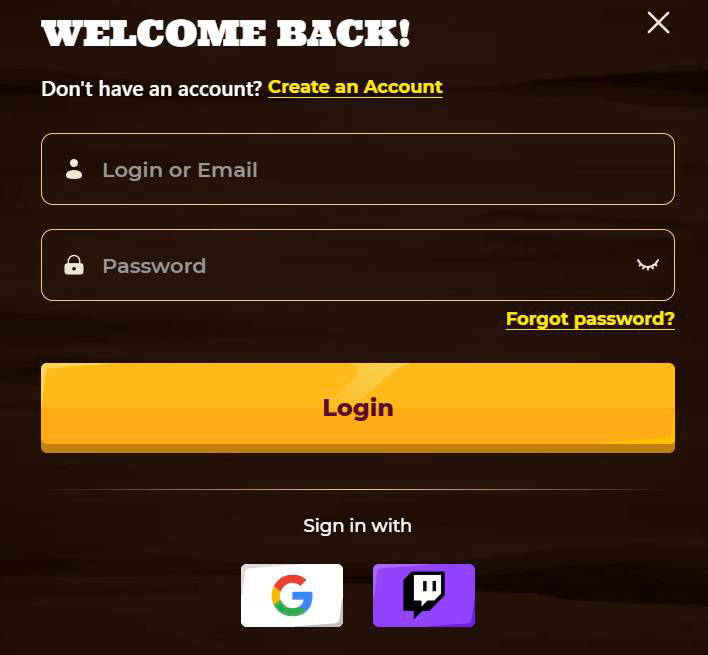
Now, your email and password pair is the key to your SmokAce account. You will see the email and password fields whenever you hit the “Sign in” button in the header.
Tips for setting up your SmokAce login details:
- Use an active email address you have full access to, since support and notifications can be sent there.
- Create a strong password that you never reuse on other websites.
- Keep your SmokAce login details private and never share them in chat or email, even with someone claiming to be support.
You can change some of your details later in your account area, but the email/password combo stays the main way to sign in.
Account Verification and KYC Process
Here is the thing: because SmokAce operates with real money and is bound by AML‑KYC rules, you might be asked to verify your identity before withdrawals or sometimes shortly after registration. The AML‑KYC Policy is openly linked in the footer for you to read at any time.
Required Verification Documents
The exact documents can vary slightly by country, but online casinos like SmokAce usually ask for standard KYC proofs.
Typical verification documents at SmokAce include:
- Proof of identity, for example, a passport, ID card, or driver’s licence.
- Proof of address, such as a recent utility bill or bank statement that shows your name and address.
- In some cases, payment method proof, like a card screenshot or e‑wallet statement, with sensitive data partially hidden.
When we need something specific from you, our team or the system will list it clearly in the verification section or via support.
Completing Identity Verification
Completing KYC is usually a one‑time process that unlocks smoother withdrawals later.
How to finish SmokAce verification:
- Upload clear photos or scans of your documents in the requested formats.
- Make sure all four corners are visible, and the text is readable.
- Wait for the review, and if we need anything else, our support will let you know via chat or email.
Once your account is fully verified, you will have fewer delays when you request your winnings.
SmokAce Casino Login Process
Now that you have a SmokAce account, logging in is simple. SmokAce keeps the Sign In button visible in the main header on desktop and inside the side menu on smaller screens, so you never have to go hunting for it.
Desktop Login
On a desktop, everything is right in front of you. At the top of the site, you will see “Sign in” and “Create an Account” on the right-hand side.
To log in to SmokAce on a desktop:
- Click “Sign in” in the top header.
- Enter your email and password in the login window that appears.
- Confirm, and you will be redirected back with full access to games, shop, and promotions.
If you prefer, you can also open the side menu, where there is another Sign In button leading to the same process.
Mobile App Login
SmokAce Casino runs perfectly in mobile browsers, and the layout keeps the same big Sign In and Create Account buttons, just adapted to smaller screens. Even if you open the site from your phone, you will still sign in with the same email and password.
| Device type | Where to tap to log in |
| Desktop | “Sign in” button in the header |
| Mobile | Side menu Sign In or header |
You do not need a separate account or credentials for mobile; one login works across all your devices.
Managing Your SmokAce Account
Once logged in to SmokAce, you will be able to manage your account, join promotions, and use the shop.
Key things you can do after SmokAce login:
- Access the Shop to spend Coins on free spins and bonus money.
- Join tournaments, promotions, and Bonus Map events visible in the side menu.
- Open support channels, such as live chat, for any account‑related questions.
All the important legal pages, such as Terms and Conditions, Privacy Policy, Responsible Gaming, and AML‑KYC Policy, stay available at the bottom of the site for quick reference.
Account Security and Password Recovery
Honestly, with real money and bonuses on the line, keeping your SmokAce account secure is just as important as finding a good slot. The good news is that you always have clear Sign In controls and access to support if something goes wrong.
Password Management Tips
You handle the password, we handle the platform security. Together, that keeps your account in good shape.
Smart password habits for SmokAce:
- Use at least 10–12 characters, mixing letters, numbers, and symbols.
- Never reuse your SmokAce password on other sites.
- Change your password occasionally, especially if you think someone may have seen it.
If at any point you suspect that your password has been compromised, contact live chat and update it as soon as possible.
Account Recovery Options
If you cannot log in to SmokAce, do not panic; it happens. While the exact recovery options are not spelled out in the bonus documentation, SmokAce always offers live chat and contact‑us channels for account help.
What to do if you are locked out:
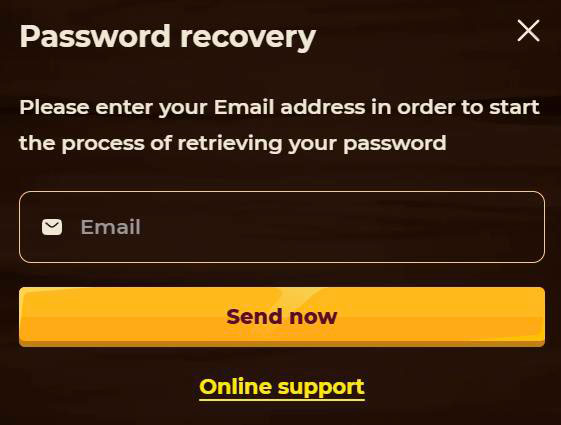
- Use the “Forgot password” flow if it is shown on the login form, and follow the email instructions.
- If you no longer have access to that email or still cannot sign in, contact support via live chat or the Contact Us page.
- Be ready to confirm your identity with personal data or documents, so the team can safely restore access.
Our support works 24/7, so you are never stuck waiting days just to get back into your profile.
Conclusion
Bottom line, the SmokAce Casino login and registration flow is designed to be quick while still meeting serious AML‑KYC and security standards. You create an account with a few clicks, verify when needed, then sign in from desktop or mobile and manage everything from games to shop and promotions in one place.

FAQ
Click “Create an Account” in the header or side menu, fill out the SmokAce registration form, accept the Terms, Privacy Policy, and AML‑KYC Policy, then confirm the sign‑up.
You can log in using the “Sign in” button in the top header on desktop, or from the side menu on both desktop and mobile versions of the site.
Yes, SmokAce follows AML‑KYC rules, which means you can be asked to provide identity and address documents before withdrawals or as part of routine checks.
Yes, your email and password work across all devices; you just open the site on your phone or tablet and tap the same Sign In button to access your account.
Use the password recovery option on the login page if available, and if you still cannot get in, contact live chat or use the Contact Us page so support can help restore your account.